This tutorial walks you through Python packaging basics.
There are actually three different ways to define a module in Python
- A module can be written in Python itself.
- A module can be written in C and loaded dynamically at run-time, like the re (regular expression) module.
- A built-in module is intrinsically contained in the interpreter, like the itertools module.
A module's contents are accessed the same way in all three cases: with the import statement.
Files containing Python code are refered to as modules. Modules can contain a Python script
to be ran or functions and/of classes to be imported.
THe module used to run a script is referd to as the main module.
Example module:
We write the following code to a file named fibo.py
# Fibonacci numbers module

def fib(n):    # write Fibonacci series up to n
    a, b = 0, 1
    while a < n:
        print(a, end=' ')
        a, b = b, a+b
    print()
it can be imported into another like so:
import fibo
We run Python modules like this:
python fibo.py <arguments>
The code in the module will be executed just as it would if you imported it. But with a standard available argument __name__ set to be equal "__main__".
Making the following run only when executed as a main module.
if __name__ == "__main__":
    import sys
    fib(int(sys.argv[1]))
Now the file works as a importable script and as a executable module. Success!
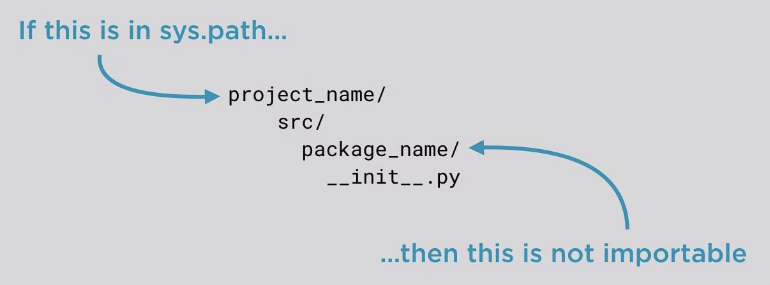
A Python package is most often represented as a regular directory containing a __init__.pyfile. As of Python 3.4 the __init__.pyis not necessary to use the directory as a package but it is the common practice.
Note
Packages are modules! But they are special modules. They are modules that can contain other modules.
Package modules have a path attribute
Typical Python package layout
project_name/
    README.(rst/md)
    docs/
    package_name/
        __init__.py
        source.py
        sub_package_1/
            __init__.py
    tests/
        test_code.py